
I was bothered by the fact I’ve found an older project in FL studio that had an awesome chopped drum break that I could have used a couple weeks ago when I was recording something else! With project names like these, who needs enemies, right?
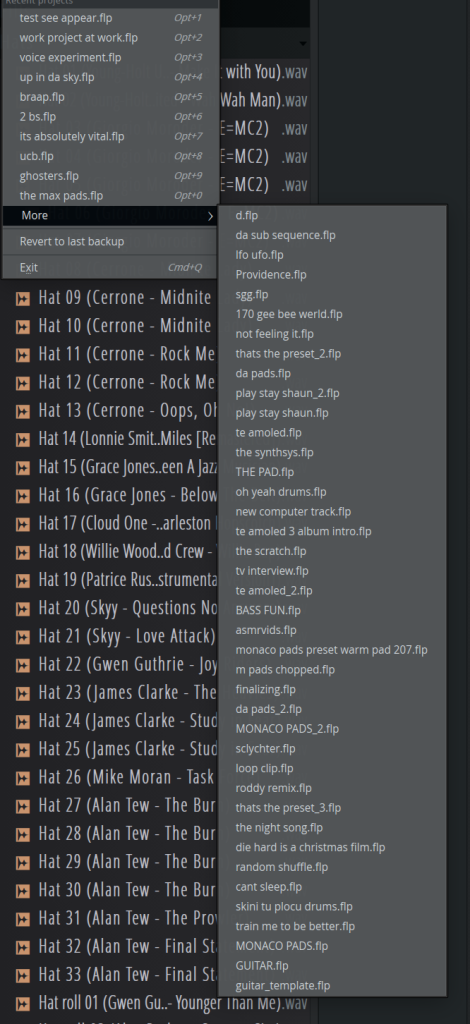
I thought an external app can surely do this better, and with a couple simple features in mind, I loaded up Claude and went to prompting. Some back-and-forth later, we now have the FL Studio Project Browser app:
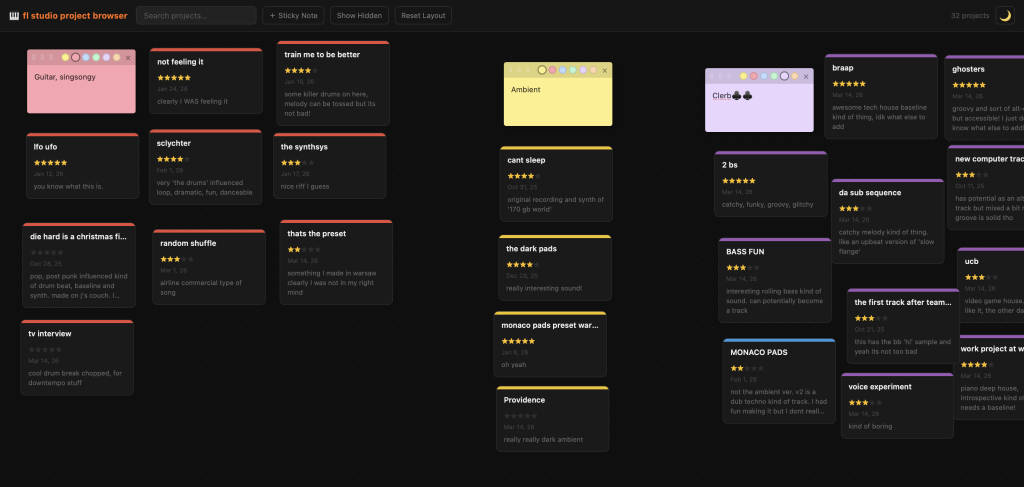
What does it do? Well, it first asks you for your Projects folder path and then displays all your project as cards. You can organise them however you’d like, it’s like icons on a desktop. Each card can then have:
- A star rating
- A note
- A color tag
And, best of all, you can open the project file directly from this app:
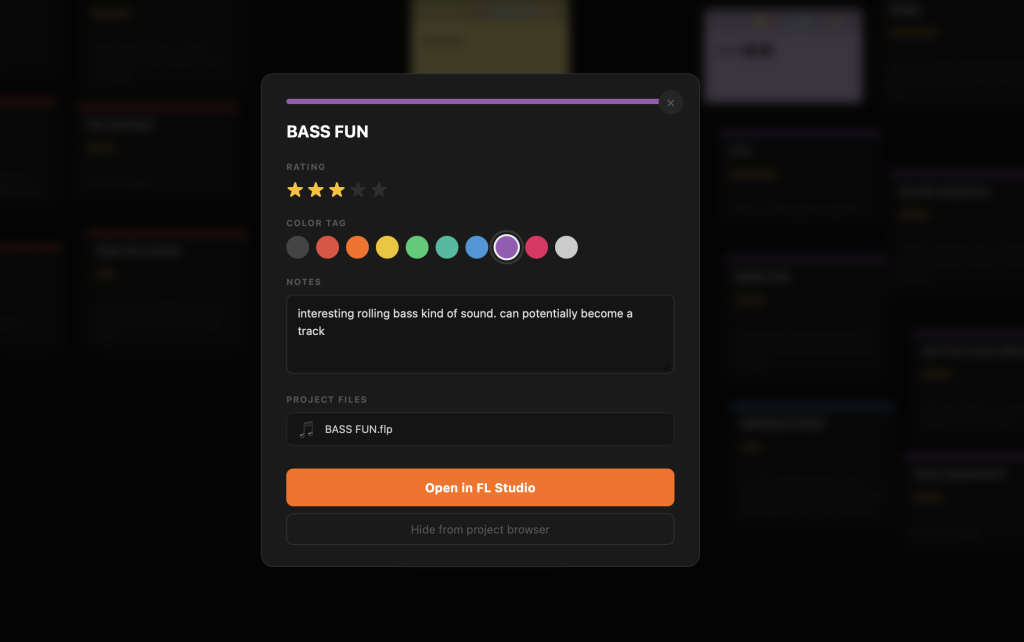
It’s quite simple but effective! I’ll be further testing this to see if it really works and if there are any obvious features that I’ve missed.
How to run
Check out the GitHub repository to download the script, the README has the complete tutorial on how to run this app. I’d be happy to help if you’re having any trouble.
Important
This app, despite using your web browser to run works completely locally. That means that there’s no data being sent anywhere else, everything stays on your computer in data.json.